Golfer Portal & Alerts
The Golfer Portal gives every golfer a personal web page with their tee time, starting hole and playing partners — no account or app install required. You can also broadcast live alerts (weather delays, restart times, schedule changes) that appear on every golfer’s page.
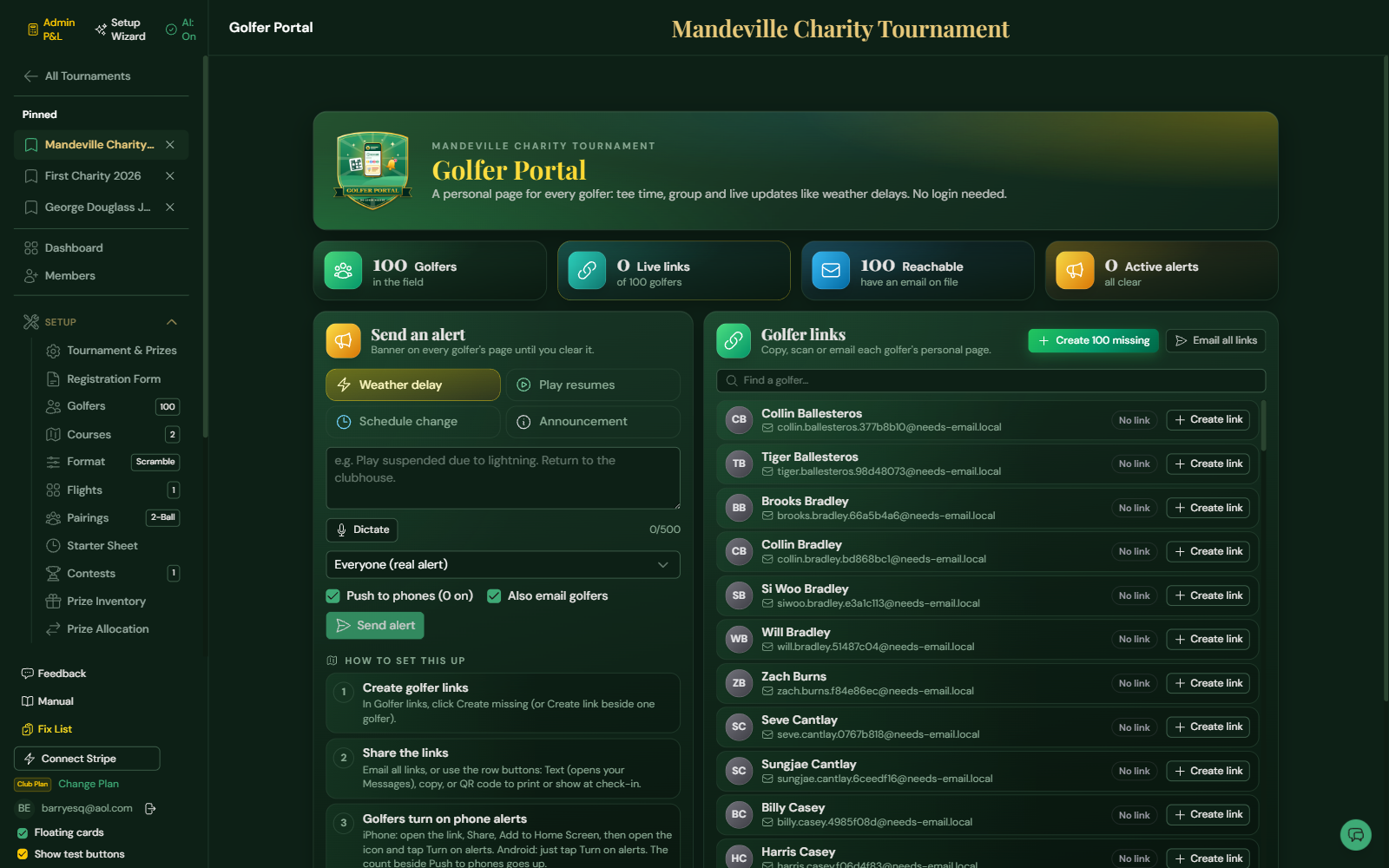
Create golfer links
- Open Run → Golfer Portal.
- Under Golfer links, click Create missing to make a personal link for every golfer.
- Share links three ways: Email all links, the per-golfer email button, or copy the link / show its QR code. Hover any of the icons beside a golfer (copy, text, QR code, email, replace, revoke) to see what it does.
Each link is personal to one golfer and shows only that golfer’s own schedule. If a link is forwarded or leaked, use Replace with a new link (the old one stops working) or Revoke.
Send an alert
- Choose a type — Weather delay, Play resumes, Schedule change, or Announcement.
- Type a short message (up to 500 characters), or tap Dictate and speak it. Dictated words are added to anything you have already typed, and you can edit before sending. Dictation works in Chrome, Edge and Safari and needs an internet connection; the button is hidden in browsers that don’t support it.
- Leave Push to phones checked to send a lock-screen notification to every golfer who turned alerts on (the count shows how many). Leave Also email golfers checked to email everyone with an address on file.
- Click Send alert.
Golfer pages check for updates every 15 seconds, so alerts appear almost immediately. When the situation is resolved, click Clear next to the alert to remove the banner.
Phone alerts (free)
Golfers can get alerts as lock-screen notifications — no app and no text-message fees.
- Android and computers: the golfer opens their link and taps Turn on alerts, then Allow.
- iPhone: iOS only allows this from the Home Screen. The golfer’s page shows three steps and a Tap here to open Share button: Share → Add to Home Screen → Add, then open the new Tourlyx icon and tap Turn on alerts. Requires iOS 16.4 or later.
- The Text button (speech bubble) beside each golfer opens your own Messages app with their link and these instructions ready to send.
- The invite email includes the same instructions.
Golfers who skip this still see every alert on their page and by email. If a link is revoked, that golfer stops receiving notifications.
Tips
- Golfers without an email address still see alerts if they open their page — share their link by QR code or copy it into a text message.
- Households sharing one email address receive a single alert email but each golfer keeps their own link.
- A golfer’s page shows a tee time only once pairings and tee times are set on the Pairings and Starter Sheet pages.